



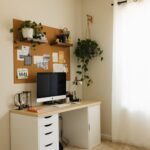
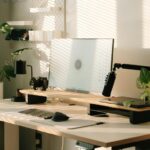




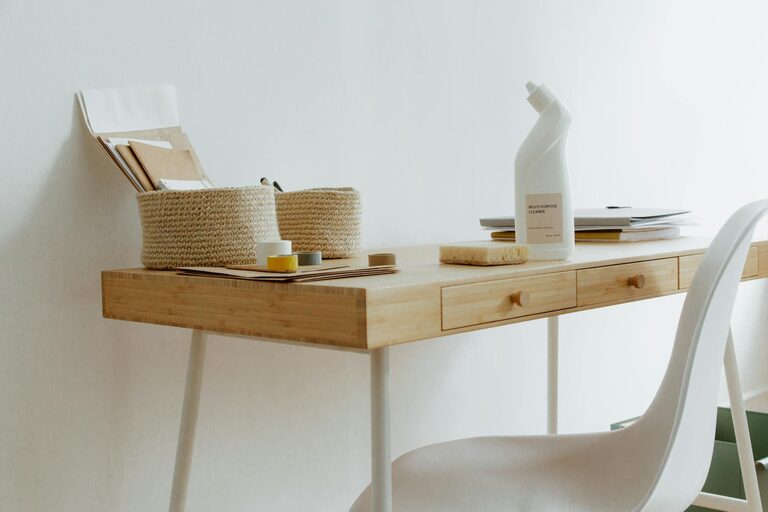
Creating an organized and productive home workspace is essential for anyone working remotely or managing tasks from home. A well-designed workspace not only helps improve focus and efficiency but also supports a healthier work-life balance. Whether you have a dedicated room or a small corner, the following tips will help you set up an environment that motivates and inspires you.
Choose the Right Location
Find a Quiet and Comfortable Spot
Selecting an area in your home that is quiet and free from distractions is crucial. Ideally, this space should have enough room for your desk and essentials, while being away from high-traffic or noisy areas like the kitchen or living room. This helps maintain concentration during work hours.
Consider Natural Light
Natural light enhances mood and reduces eye strain. Position your desk near a window if possible, but avoid glare on your computer screen by using blinds or curtains as needed.
Invest in Quality Furniture
Select an Ergonomic Chair and Desk
Comfort plays a large role in productivity. Invest in an ergonomic chair that supports your back and promotes good posture. Your desk should be the right height to keep your arms at a comfortable angle when typing.
Use Adjustable Furniture
Adjustable desks or standing desks offer the flexibility to change your working position throughout the day, which can reduce fatigue and boost energy.
Organize Efficiently
Declutter Regularly
A cluttered workspace can distract and overwhelm. Make a habit of clearing your desk at the end of each day, leaving only the essentials you need for the next session.
Use Storage Solutions
Utilize storage options such as shelves, drawers, or filing cabinets to keep documents and supplies tidy. Clear containers or labels help you find items quickly.
Keep Cable Management in Mind
Tidy cables can prevent frustration and create a cleaner look. Use cable organizers or clips to keep cords neat and out of the way.
Personalize Your Workspace
Add Personal Touches
Incorporate elements like photos, plants, or artwork to make your workspace inviting. Personal touches can increase your sense of comfort and motivation.
Use Calming Colors and Decorations
Soft colors like blues or greens can create a relaxing environment. Avoid overly bright or busy patterns that can cause distraction.
Set Up Efficient Technology
Ensure Reliable Equipment
Make sure your computer, internet connection, and any other devices are dependable and up to date. Regularly update software to prevent interruptions.
Organize Your Digital Workspace
Create clear folder structures and backups for your files. Use productivity tools and apps to manage tasks and deadlines efficiently.
Establish Boundaries and Routines
Define Work Hours
Create clear start and end times for your workday. Sharing your schedule with household members helps minimize interruptions.
Take Scheduled Breaks
Incorporate short breaks to stretch, hydrate, or step outside. Regular breaks improve focus and reduce burnout.
Maintain Good Lighting and Air Quality
Use Task Lighting
In addition to natural light, use adjustable desk lamps to ensure adequate illumination, particularly for detailed tasks.
Improve Air Circulation
Good ventilation enhances comfort and cognitive function. Consider using an air purifier or opening windows when possible.
Keep Supplies Handy
Stock Essential Tools
Keep frequently used supplies like pens, notebooks, or chargers within reach to avoid wasting time searching.
Avoid Overcrowding
While it’s important to have necessary items nearby, too many objects can overwhelm your space. Keep it simple and organized.
—
By applying these tips, your home workspace can become a place where you feel organized, focused, and ready to tackle your projects efficiently. Remember, creating the ideal setup is a personal process — experiment with these suggestions and adjust to what suits your needs best. A well-planned workspace is a key component to making work-from-home life productive and enjoyable.