



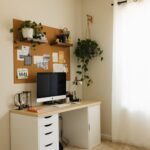





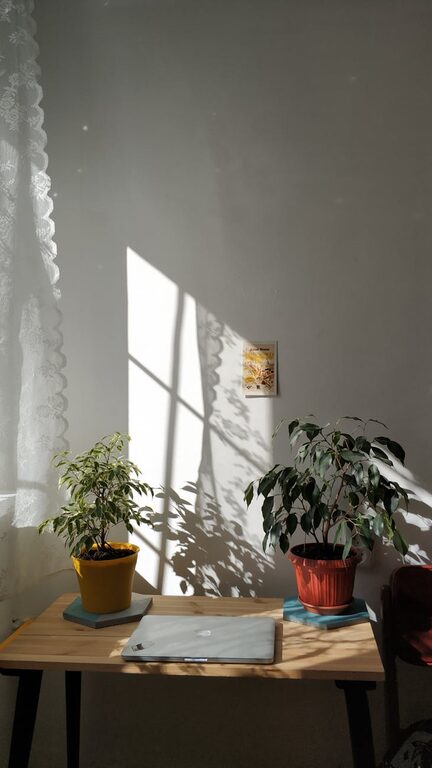
Creating a relaxing home workspace is essential for boosting productivity while maintaining your well-being. When your workspace feels inviting and calm, it naturally encourages focus and reduces stress, making your work hours more enjoyable and effective. Whether you’re working remotely full-time or occasionally, designing a space that nurtures both comfort and efficiency is key.
In this article, we’ll explore practical tips to help you build a home workspace that supports your goals and promotes a balanced workflow.
Why a Relaxing Workspace Matters
Before diving into specific tips, it’s important to understand why your workspace environment plays a critical role in how well you work. A cluttered, noisy, or uncomfortable area can create distractions and increase anxiety, leading to lower productivity and burnout.
Conversely, a well-organized, calming environment can:
– Enhance concentration and creativity
– Improve mood and reduce stress
– Encourage better posture and physical health
– Help establish clear boundaries between work and personal life
With these benefits in mind, let’s look at how to create a workspace that fosters relaxation and productivity.
1. Choose the Right Location
Find a Dedicated Spot
If possible, select a dedicated area for your workspace instead of working from shared spaces like the couch or dining table. A consistent spot helps your brain switch into “work mode” when you enter the space.
Consider Natural Light
Choose a spot near a window to take advantage of natural light. Sunlight helps regulate your circadian rhythm and can lift your mood. Make sure the light is not too harsh or causes screen glare.
2. Invest in Comfortable and Functional Furniture
Ergonomic Chair and Desk
Your chair and desk play a big role in your comfort. Look for chairs with good lumbar support and height adjustability. Ensure your desk allows your arms to rest comfortably when typing.
Adjustable Setup
If possible, use a standing desk or adjustable workstation to switch between sitting and standing throughout the day. Varying your posture helps prevent fatigue and promotes circulation.
3. Declutter and Organize
Keep Essentials Handy
Limit your desk items to what you need daily. This helps minimize distractions and keeps your space tidy.
Use Storage Solutions
Invest in shelves, drawers, or organizers to store documents, office supplies, and cables out of sight but within reach. A clutter-free workspace promotes calmness and focus.
4. Personalize Your Space Thoughtfully
Add Calming Elements
Incorporate elements that make you feel relaxed, such as indoor plants, a small water fountain, or artwork that inspires you. Greenery is known to reduce stress and increase productivity.
Avoid Overdecorating
Too many decorations can become visual clutter and reduce focus. Choose a few meaningful items that create a pleasant atmosphere.
5. Control Noise and Distractions
Noise-Canceling Headphones
If you live in a noisy environment, noise-canceling headphones can help you concentrate better.
Background Sounds
Some people find soft background music or nature sounds helpful in maintaining focus and calm. Experiment to find what works for you.
6. Manage Lighting Effectively
Use Layered Lighting
Combine ambient lighting with task lighting to reduce eye strain. A desk lamp with adjustable brightness can provide good illumination for reading or detail work.
Consider Blue Light Filters
If you work on screens for long periods, consider using blue light filters or glasses to ease eye fatigue.
7. Maintain Air Quality and Comfort
Ventilation
Good air circulation keeps you alert and comfortable. Open windows regularly or use an air purifier.
Temperature Control
Keep your workspace at a comfortable temperature. Extreme heat or cold can be distracting.
8. Implement a Routine and Boundaries
Set Work Hours
Define clear work hours to create separation between professional and personal life. This helps your mind relax when you’re off the clock.
Take Breaks
Incorporate regular breaks to stretch, hydrate, or simply rest your eyes. Breaks help maintain productivity and reduce burnout.
9. Use Technology Wisely
Declutter Your Digital Workspace
Organize your computer files and emails to reduce digital clutter.
Use Productivity Tools
Apps for task management, time tracking, or focus sessions can boost your efficiency without adding stress.
Final Thoughts
Designing a relaxing home workspace is about balance—combining comfort, functionality, and aesthetics in a way that suits your needs. By choosing the right location, investing in ergonomic furniture, minimizing clutter, and personalizing your surroundings, you can create an environment that supports both your productivity and well-being.
Remember, small changes can make a big difference. Take time to experiment and adjust your workspace until it feels just right for you. Enjoy the benefits of a calm and efficient home office!